
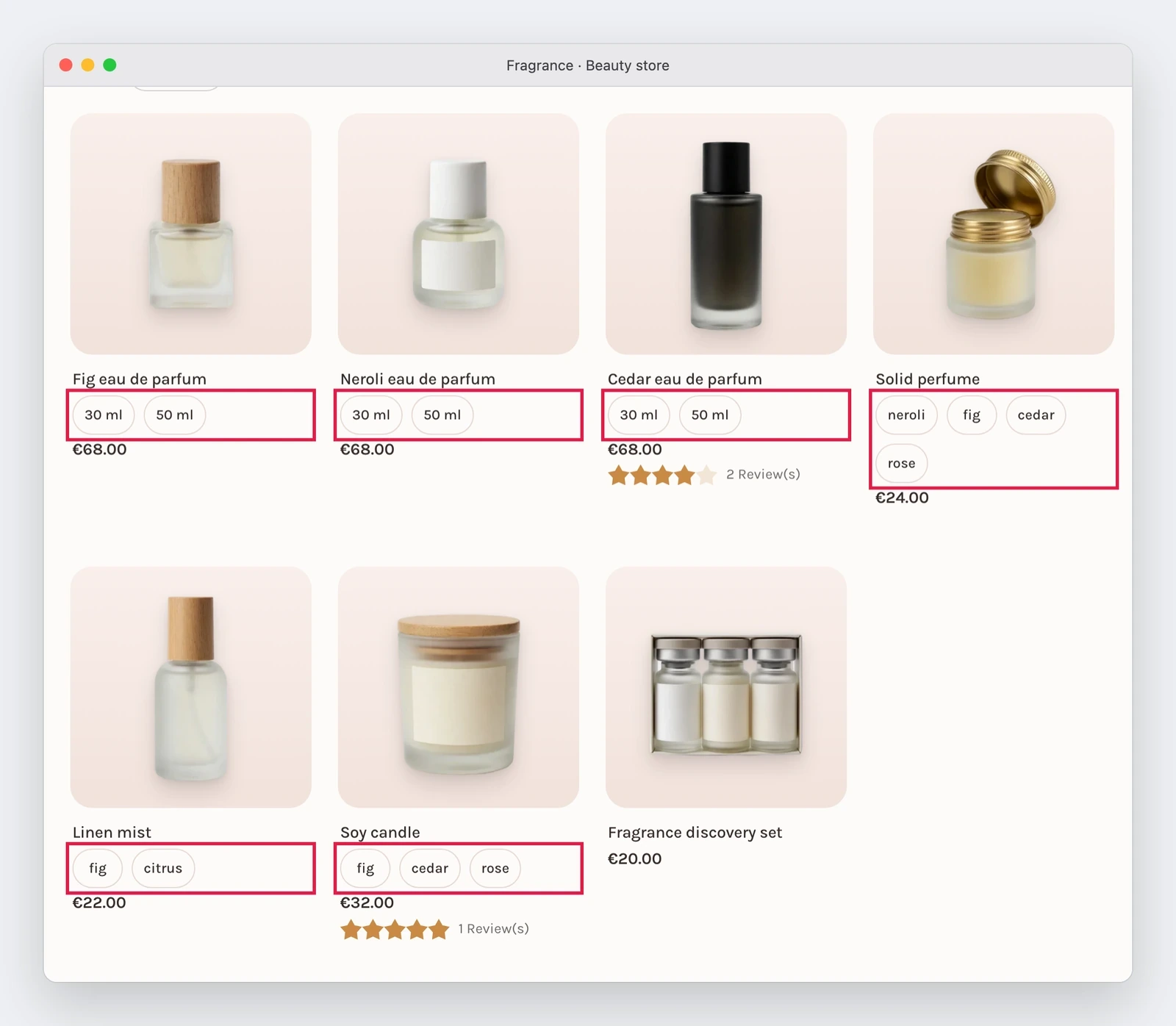
One category, more attributes: each product shows the swatches of its colour, scent or volume
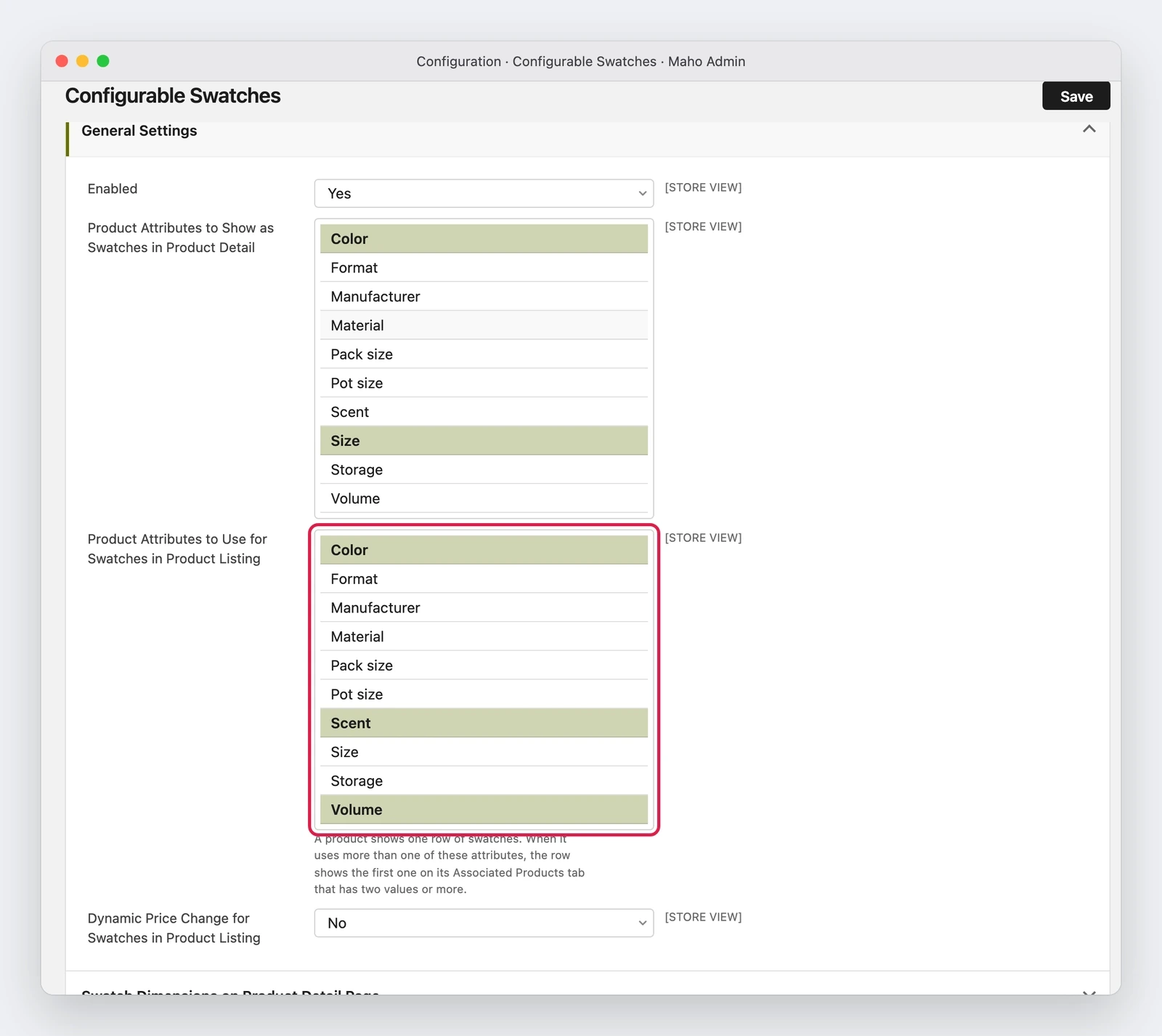
The swatch setting of the listing becomes a multiselect, so a category that mixes products configurable by colour, scent and volume shows each one with its own swatches, and the dynamic price works again.
A fragrance category puts together products configurable by scent with products configurable by volume. The page lists them all, but the swatches appeared only on the ones of the attribute chosen in the setting, and the rest stayed without a dot. Pull request #1828 lifts the limit: the attributes can be more than one.
What it adds
In System > Configuration > Catalog > Configurable Swatches, Product Attributes to Use for Swatches in Product Listing turns from a single choice into a multiselect. With Color, Scent and Volume selected, every product of the category shows the swatches of its own attribute, with one row of dots per product.
Which attribute a product uses is not random: the first attribute listed on the Associated Products tab that has two values or more wins, otherwise the first one with a value. The order is the one the merchant already sets by dragging the attributes on that tab, so the priority stays their decision and does not depend on the alphabetical order of the options.
The same work brings Dynamic Price Change for Swatches in Product Listing back to life: the comparison between the identifier read from the database and the string of the setting never matched, so clicking a swatch did not change the price, and on top of that the price calculated for one product could land on the ones after it on the same page.
Why it matters
For whoever sells clothing, fragrances or anything with two variants that matter, the category listing is where the click is decided. A swatch missing on half of the products makes the category look incomplete, and a price that does not follow the variant loses trust exactly when the customer is choosing.
There is a gain for navigation too: a swatch that matches an active layered navigation filter is marked on any listed attribute, not only on the first one, so the customer sees at once why that product is in the list.
What it needs
- No migration: the setting keeps its path and its stored format, a comma separated list, so a store with a single attribute shows the same page as before.
- The selection is in System > Configuration > Catalog > Configurable Swatches, and it applies to every category.
- The colour picker: it now appears on the option page of an attribute that only the listing uses, not only for the one of the product page, so a swatch that had no colour before can get one.
What can still change
The pull request is merged but not in a release, and these are the limits it declares. An attribute with no colour and no image stays in the list: the pull request explains that checking it would have meant reading the swatch files on every category request, so the choice stays with the merchant, who can leave it out. A second row of swatches on the same tile stays out, as the issue asked. A product shows only the swatches of the attributes it really is configurable by: before, it could show those of an attribute that was not its own, when another product on the page was configurable by it.
Status
The snapshot is from 21 November 2026. The pull request was merged on 14 November and is not in a release yet: whoever wants to try it finds it in the repository documentation, and whoever waits for a version finds it in the next patch or the next release, when they come out.
Text prepared with the help of AI and checked against the source before publication. It can still contain mistakes: if you find one, report it.Read the manifesto
Source: MahoCommerce/maho#1828
Does your store still sell?
Tell us where you are starting from: we reply with a first assessment, no strings attached.
Ask for the store assessment