
Attributes and attribute sets reach categories, customers and content
An open pull request brings custom attributes to categories, customers, addresses, blog posts and CMS pages, with the values exposed through the APIs.
Anyone who has run a store on Magento 1 knows the asymmetry: attributes exist for products, with their sets, groups and tabs, and for everything else there is nothing. One more field on a category, a company registration number on a customer, a season on a CMS page: each of them means a module that adds the column and the admin page. The pull request #1674 by fballiano takes the product mechanism to five kinds of record that used to be left out. It is not merged: this is a picture of the branch as it stands today.
What it adds
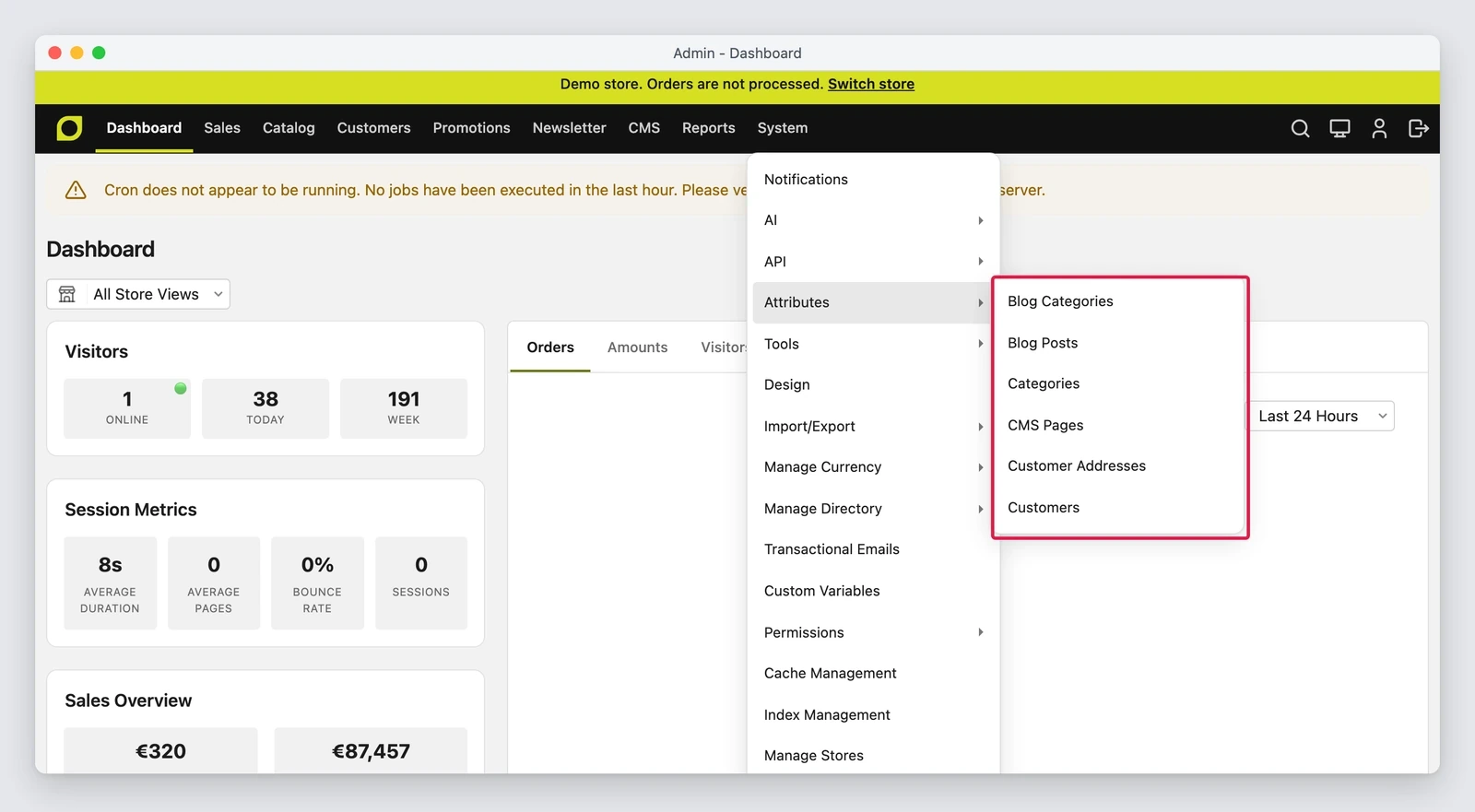
System > Attributes gets one entry for each kind of record: Blog Categories, Blog Posts, Categories, CMS Pages, Customer Addresses and Customers. Each entry opens the attribute grid, and the Attribute Sets button opens the sets. Product attributes stay where they are, under Catalog > Attributes.
The model is the one people already know from products, applied to the other records:
- an attribute has a code, an input type and a label, and the code and the type cannot be changed after it is saved;
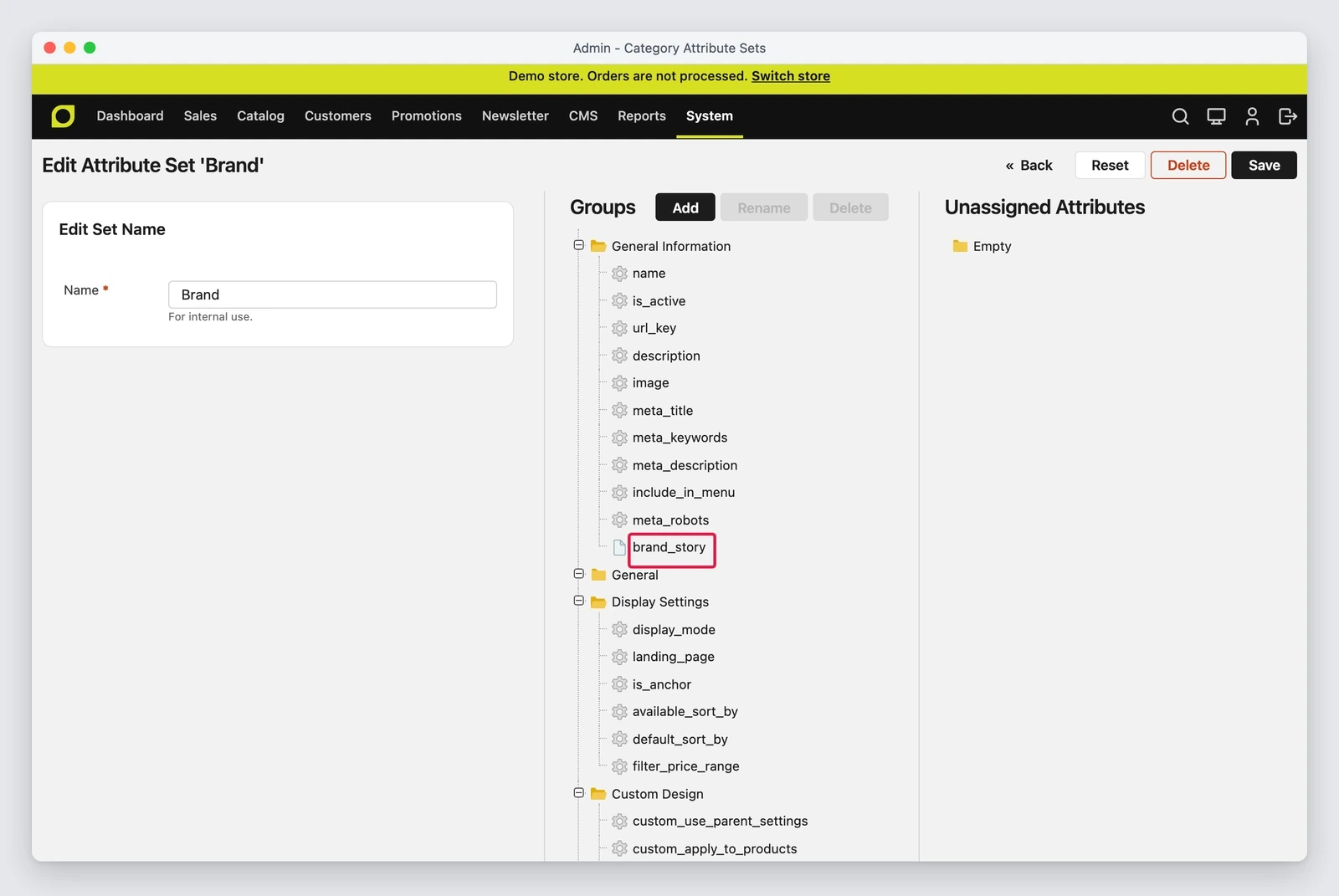
- a set groups attributes, and each group becomes a tab on the page of the record;
- the values marked as visible show up on the storefront in a table, with the position set on the attribute.
The differences sit in how each type attaches the set to the record. Categories and the blog records keep the set in their own row, as products do, and the set is picked on creation. Customers and addresses have no set of their own: the set comes from the customer group, which carries one for the customer and one for the address. CMS pages have no sets, and every page has all the page attributes.
Why it matters
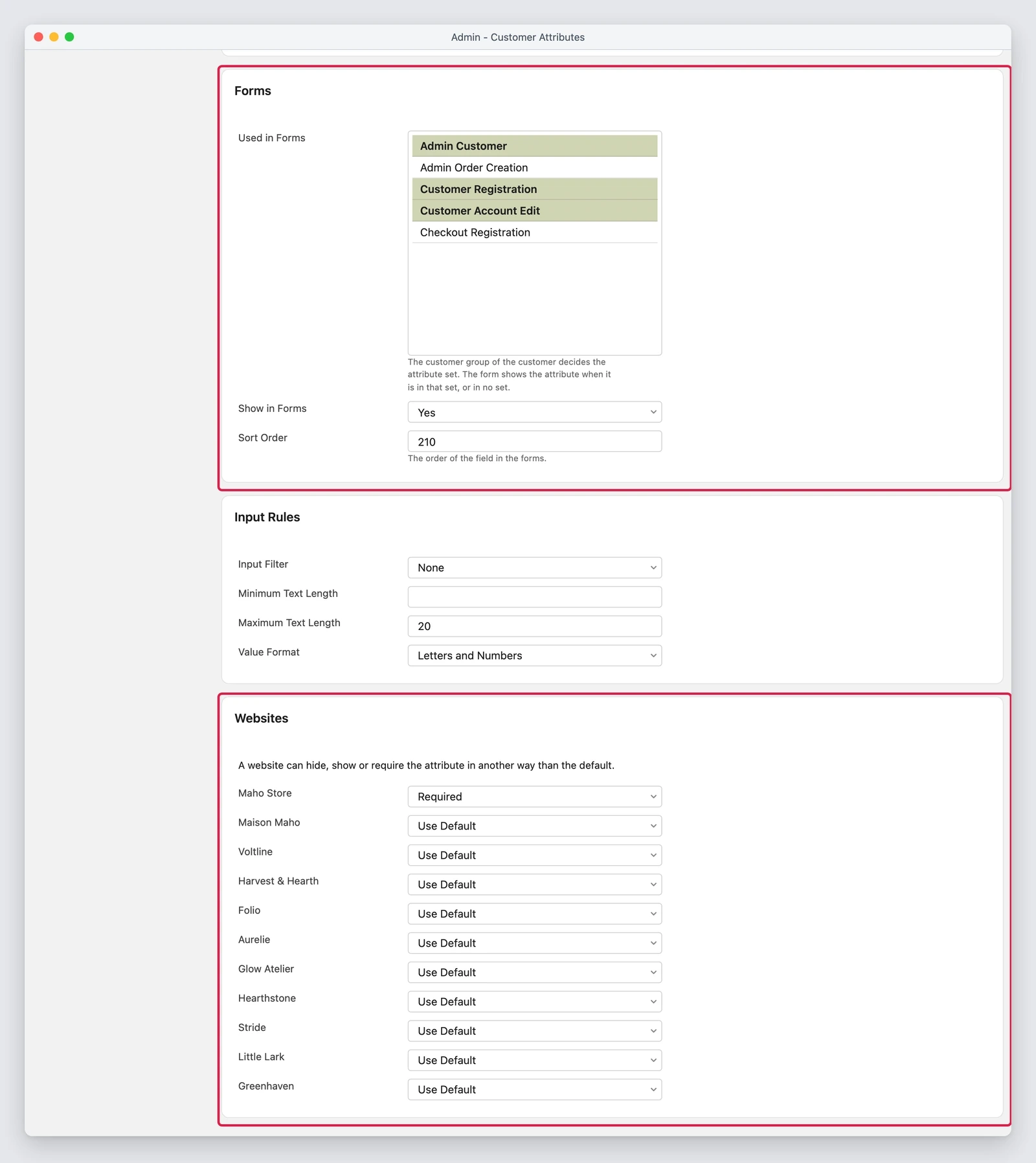
The customer group is the case that makes it concrete. A store selling both wholesale and retail can give the Wholesale group a set with the VAT number and the billing details, and leave the Retail group without those fields. An attribute chooses the forms it appears in (registration, account, address book, checkout, admin) and, for each website, whether it is hidden, optional or required: the same field can be mandatory on the B2B site and invisible on the other.
The checkout keeps the chain intact: address attribute values are copied onto the order, and the order keeps the label of the option the customer picked, so the document shows what the customer saw even after an admin renames the option. A reorder from the admin copies the values back into the cart.
The other three types cover the rest of the editorial work. A blog post and a blog category show the visible values on the storefront, and the post import reads the set plus one column per attribute. CMS pages gain an Attributes tab in the edit form, one import column per attribute, and a simple way for a theme to read the value. Categories get one attribute stores ask for often, the brand, and the category page shows it under the description.
The APIs follow the same line. The REST and GraphQL resources of customers, addresses, posts, blog
categories and CMS pages read and write customAttributes, a map from code to value, and
categories and blog records also expose attributeSetId. Writes go through the input rules of the
attribute, and an unknown code, a system attribute or an option that does not exist comes back as a
422 with the list of errors.
🏷️ New field: from here on, “add a field” stops meaning “add a module”.
What it needs
Nothing new to install: the work lives in the core and the admin is the usual one. Three things to know before using it:
- a custom admin role does not see System > Attributes until someone grants it the new ACL resources under that entry;
- a theme that overrides the registration, account, address book or checkout templates does not show the new fields until it renders the form fields block;
- an email or address template shows a value only when it contains
{{var attribute_code}}in System > Configuration > Customers > Customer Configuration > Address Templates.
What can still change
The limits the pull request declares are the part to read closely, because they are design decisions and not details:
- the set of a category, a post or a blog category is chosen on creation and the admin does not change it after the first save, as with products. The API can change it;
- every night the store deletes the value of an attribute that is not in the set of the record. An attribute a module added without a set loses its values unless somebody puts it in a set;
customAttributesis for admin and API tokens only. A customer token cannot read or write its own fields yet, so a headless storefront cannot fill them in;- a CMS page value is one for all store views, and the storefront does not show it by itself: the theme reads it and decides where it goes;
- an address attribute adds a column to the order address tables, so its code cannot reuse a name the table already has, and cannot reuse the code of a deleted attribute.
And above all of it, the usual rule: an open pull request can be rewritten, split or dropped, and what you read here is a snapshot of the branch on the date below.
🏷️ New field: a value stays only while the attribute is in the set. The nightly cleanup decides the rest.
Status
On 30 October 2026 the pull request is open, not merged, with 20 commits, 154 changed files and 7,719 lines added against 1,149 removed. The description states that it was developed with AI assistance and reviewed by a human before merging, as for every change in the project. The branch is on MahoCommerce/maho#1674.
Text prepared with the help of AI and checked against the source before publication. It can still contain mistakes: if you find one, report it.Read the manifesto
Source: MahoCommerce/maho#1674
Does your store still sell?
Tell us where you are starting from: we reply with a first assessment, no strings attached.
Ask for the store assessment