
Maho 26.7.0: the new API, the redesigned admin and the database schema
26.7.0 brings the API on REST v2 and GraphQL, the redesigned backend, the declarative schema, customer two-factor and the EU withdrawal button.
26.7.0 changes three things at the foundation: how the outside world talks to Maho, how the admin looks, and how the database is described. Around them there are two-factor authentication for customers and the revocation button that European rules ask of stores selling to consumers.
The new API
The API is rewritten on API Platform and offers about 140 REST endpoints with 212 operations, across products, categories, orders, invoices, shipments, credit memos, customers, carts, the full checkout, CMS, blog, reviews, wishlists, newsletter, coupons, gift cards, inventory, tax, directory and stores. Every resource answers over REST, in JSON or JSON-LD, and over GraphQL, with the same providers and processors.
Authentication uses JWT tokens, revocable and revalidated on every request, with customer, client
credentials and the legacy API user grants. Permissions are granular per resource and operation, with
a role editor in the admin and service accounts scoped to one or more websites. HTTP caching with ETag
and tagged invalidation, database-backed idempotency keys, rate limiting and a CORS allow list are
part of the package. The OpenAPI 3.1 spec is at /api/docs.json, and a module adds resources with a
single #[Maho\Config\ApiResource] attribute.
In 26.7.0 this part should be considered beta: it is backed by 565 automated tests and ready to
build on, with refinements expected in later versions. The Mage_Api and Mage_Api2 modules are
marked as deprecated.
The redesigned admin
The backend was redesigned from scratch, with no new dependencies and no build step: a neutral graphite palette with Maho’s green as the single accent. Dark mode follows the operating system or is chosen from the header toggle, and the choice is applied before the first paint, with no flash.
The new look covers the header with global search, the dropdown menus, the grids, the forms, the tabs, the system configuration, the dashboard, the dialogs and the media browser. The global search opens and closes from the keyboard and is navigable with a screen reader. Every measure moved to relative units, so the admin respects the font size set in the browser.
The declarative database schema
All 47 core modules that own tables now describe the schema declaratively on Doctrine DBAL. An existing installation is aligned in place, idempotently, and lands byte-identical to a fresh install on MySQL, MariaDB and PostgreSQL. A canonicalisation step removes representation-only noise, so only genuine structural changes are applied, and undeclared columns or tables are preserved.
The data side stays imperative: sql/ and data/ scripts coexist with the new system, and
third-party modules keep working unchanged. The 0000-00-00 sentinel dates give way to nullable
columns.
Two-factor authentication for customers
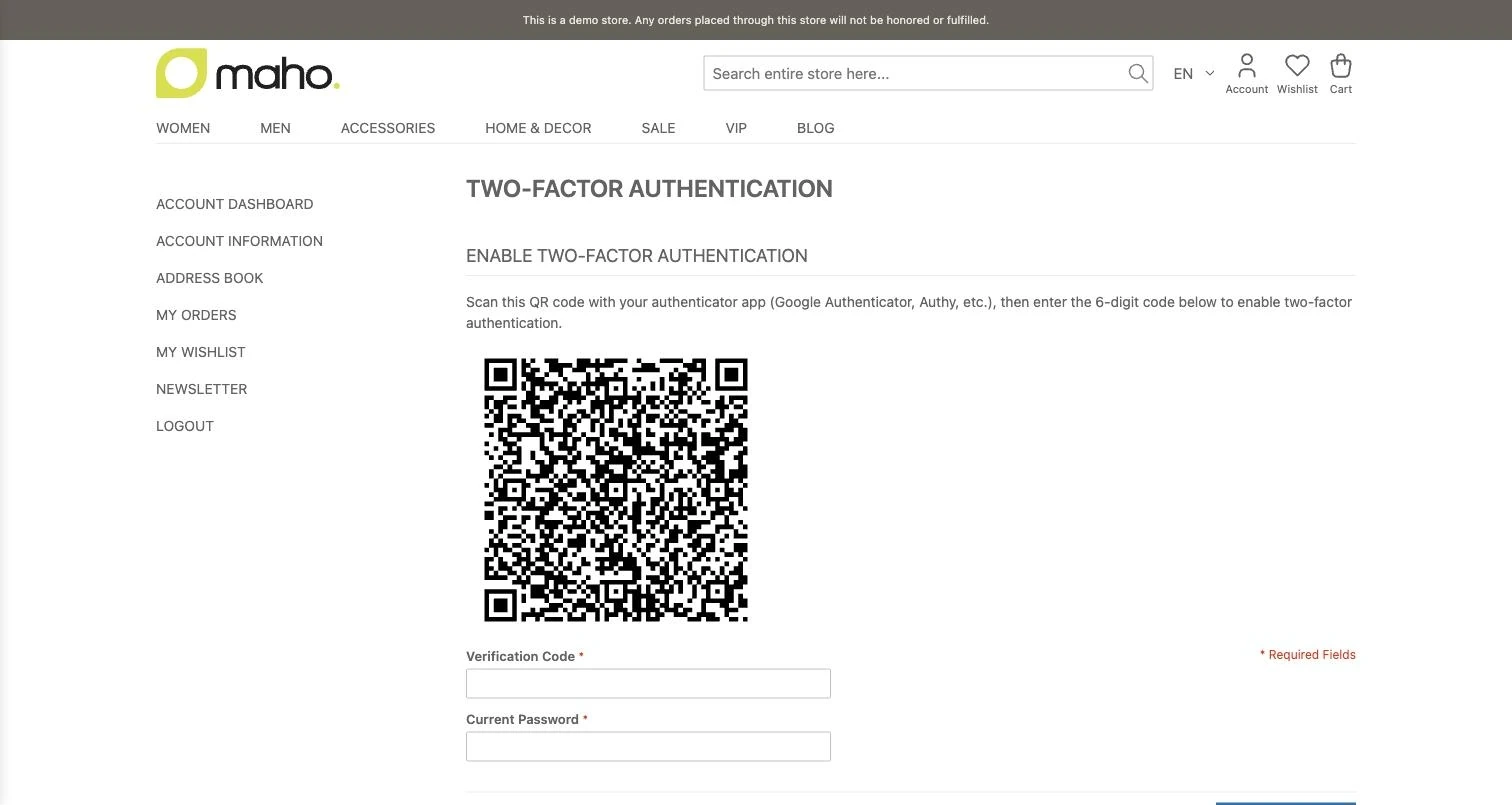
TOTP two-factor authentication, which used to protect the admin only, is now available to customers, opt-in per customer and optionally mandatory from the store settings. Customers enable it from a dedicated account page by scanning a QR code, and the login recognises two-factor accounts and asks for the code, as the admin already does. Passwordless paths such as the Magic Link go through the challenge too. Secrets are encrypted. The two-factor guide for customers covers enrollment and the mandatory mode.
The revocation button
Since 19 June 2026, European directive 2023/2673 asks stores selling to consumers in the Union for a
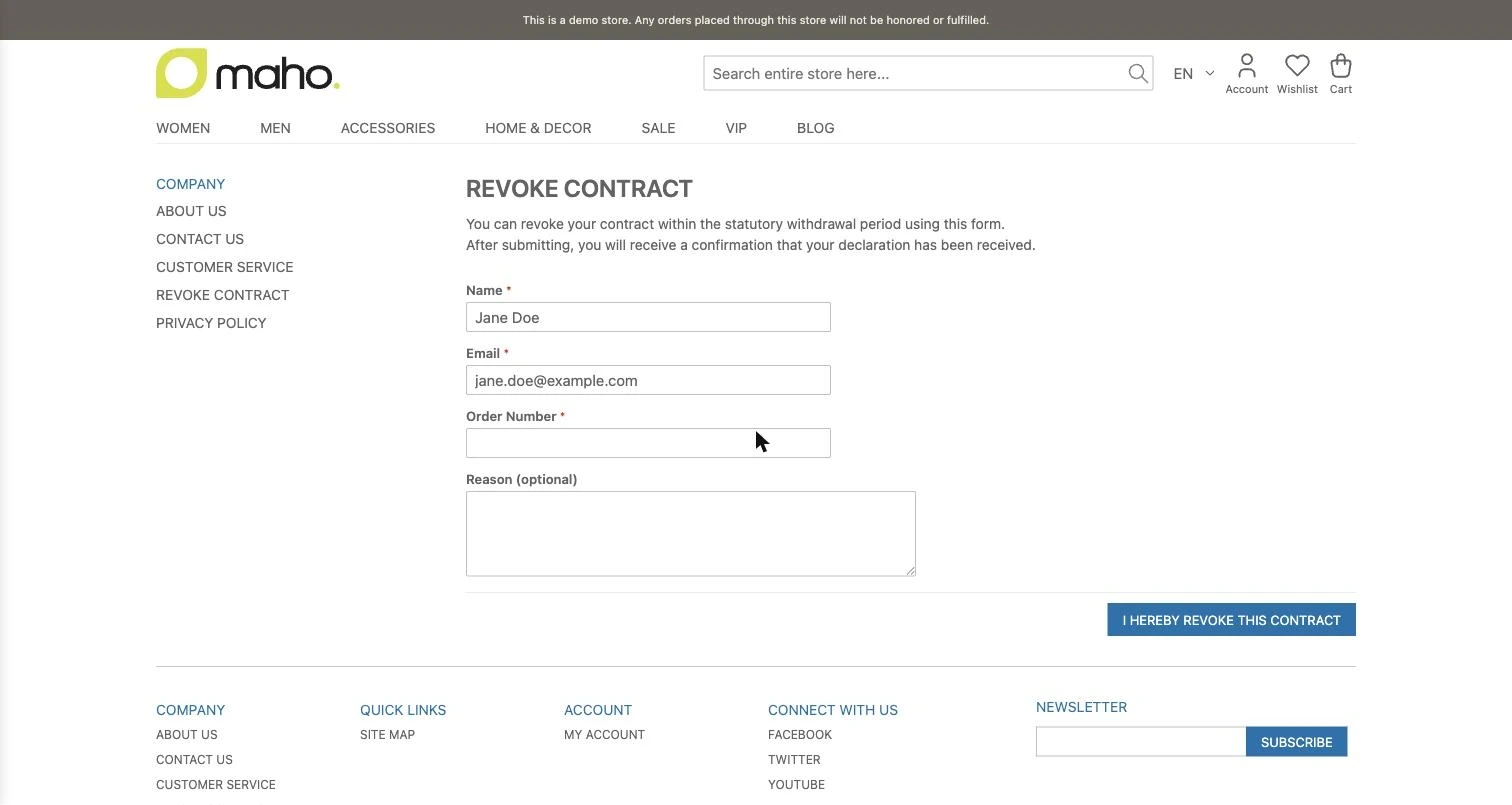
button to withdraw from the contract. Maho ships it in the core as a module, off by default: a public
form at /revocation, a widget for a CMS page and an account entry within the configured withdrawal
period. Configuration and placement are in the deep dive on the
EU revocation button.
Every request is written to a table that acts as the legal receipt, before any email, with UTC timestamps and a check that the order belongs to the person writing. Abuse protection is layered: honeypot, render timestamp check, Altcha and per-IP and per-email limits. Requests are handled in Sales > Revocation Requests, with CSV export and accept or reject with a comment on the order.
Content, search and media
- Schema.org structured data for products, breadcrumbs, the organisation, site search and blog posts, configured in Catalog > Structured Data;
- layered navigation SEO: filtered and paginated pages are
noindex, filter links arenofollow, and the canonical has a sensible default; - PDF attachments on invoice, shipment and credit memo emails;
- Media Cleaner in System > Tools > Media Cleaner, which finds orphan files in the library;
- the Bestsellers and On Sale widgets for the storefront.
Upgrading to 26.7.0
This is a line upgrade: read the release notes in full before starting, because the database schema
and the new API touch the way the store is built. Keep an eye on modules that use the old APIs, since
Mage_Api and Mage_Api2 are deprecated, and turn the revocation button on after the update.
Text prepared with the help of AI and checked against the source before publication. It can still contain mistakes: if you find one, report it.Read the manifesto
Source: Release 26.7.0
Does your store still sell?
Tell us where you are starting from: we reply with a first assessment, no strings attached.
Ask for the store assessment