
The page builder lands in core: block content with a storefront preview
CMS pages, CMS blocks and blog posts come together by dropping blocks, with the unsaved content previewed next to the editor and the theme classes ready to use.
Anyone who has written an about page inside a store knows the shape of it: the Content tab is a rectangle with a toolbar, and the result is a bet you settle on the storefront. 26.11.0 brings the page builder into core, so the same Content opens fullscreen, blocks on the left, text in the middle and the store preview on the right.
How the work goes
The blocks pane inserts columns, bento grids, accordions, tabs, images, slideshows, widgets and buttons, by click or by drag. A drag handle moves a block, out of a column too, and from the keyboard Alt+ArrowUp and Alt+ArrowDown do the same.
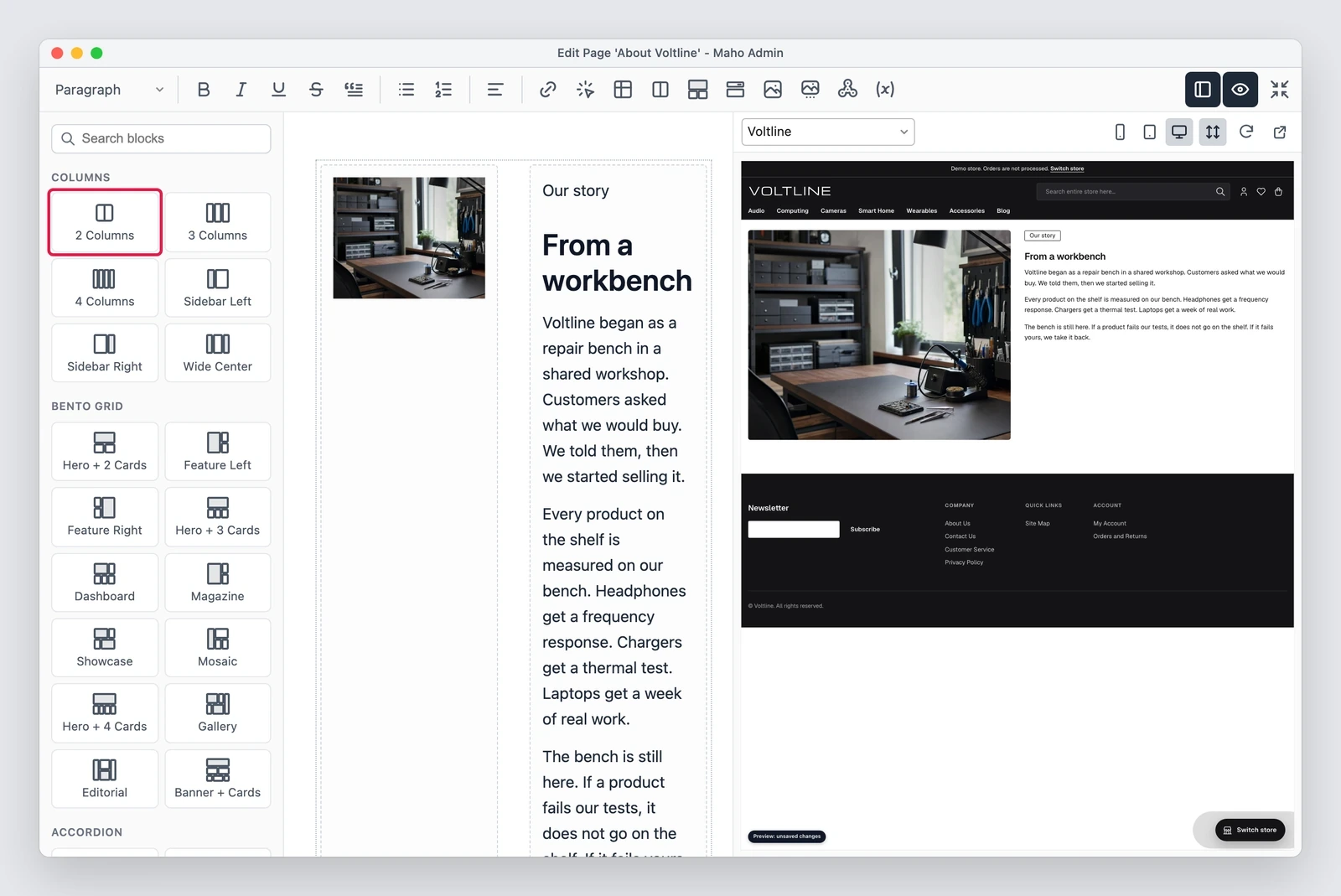
The preview is not a simulation running in the browser: the server renders a draft of the unsaved content, in the theme of the selected store view. A CMS block can be seen on its own or inside the page that uses it.
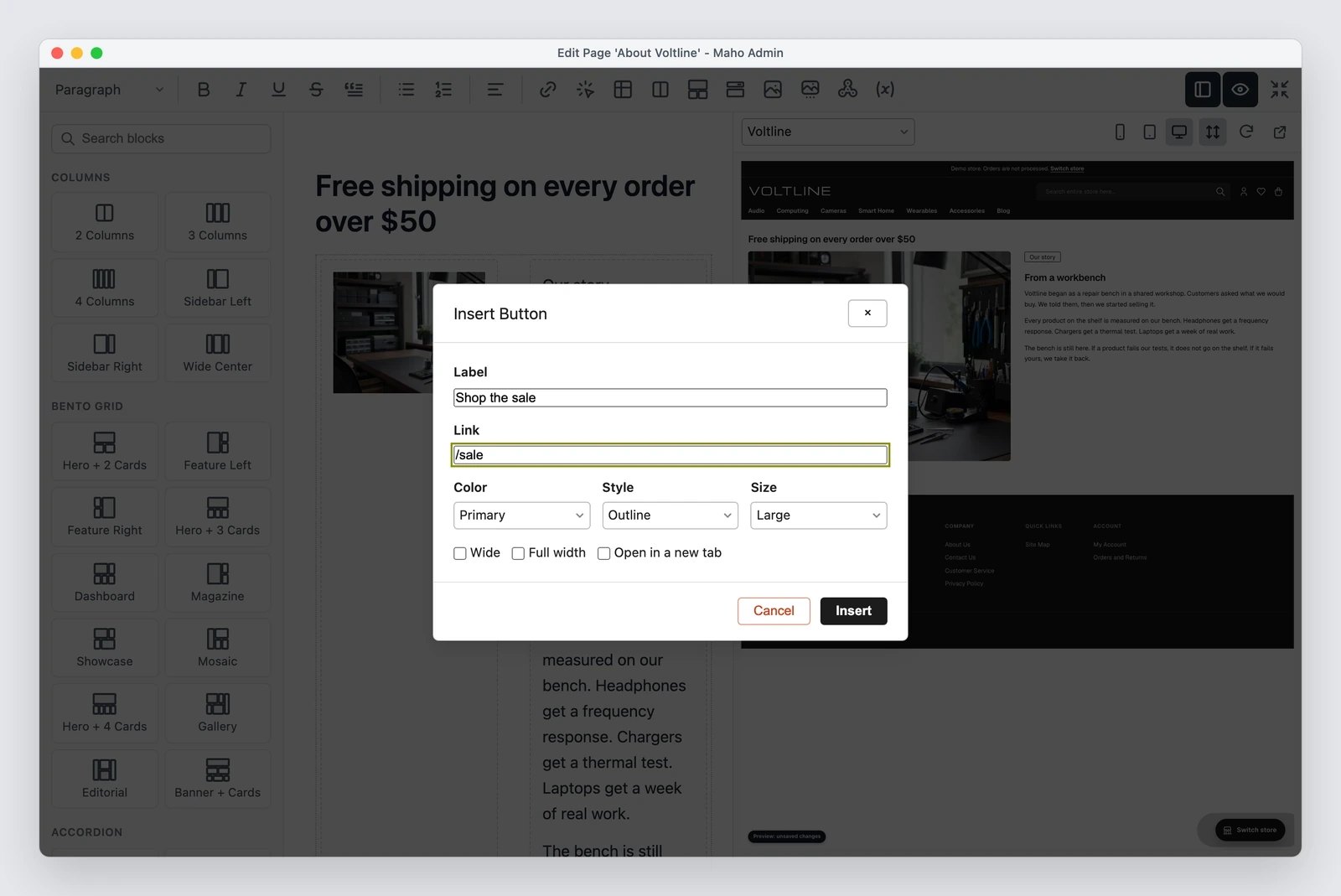
The button dialog asks for a label, a link, a color, a style and a size, with wide,
full width and new tab options, and writes an <a> with the classes of the theme,
so the button stays in line with the rest of the store.
The classes reach the storefront
What makes the page builder useful rather than merely convenient is that the Tailwind and daisyUI classes typed in content actually work. That covers CMS pages and blocks, blog posts, widgets, custom variables, checkout agreements, the footer fields of the theme and product or category descriptions.
The mechanism, briefly: the classes are collected from the saved content, and the
stylesheet of the theme is compiled into a copy the storefront loads in place of
the original. On a server with Node.js and the Tailwind CLI a save queues the
build, and ./maho theme:content:build runs it in a deploy.
# compile the classes used in content, in a deploy
./maho theme:content:build
Next to it, a Source button opens the HTML in a code editor: it completes the available classes, shows the CSS of each one and flags the ones the storefront does not style.
The editor stops showing placeholders
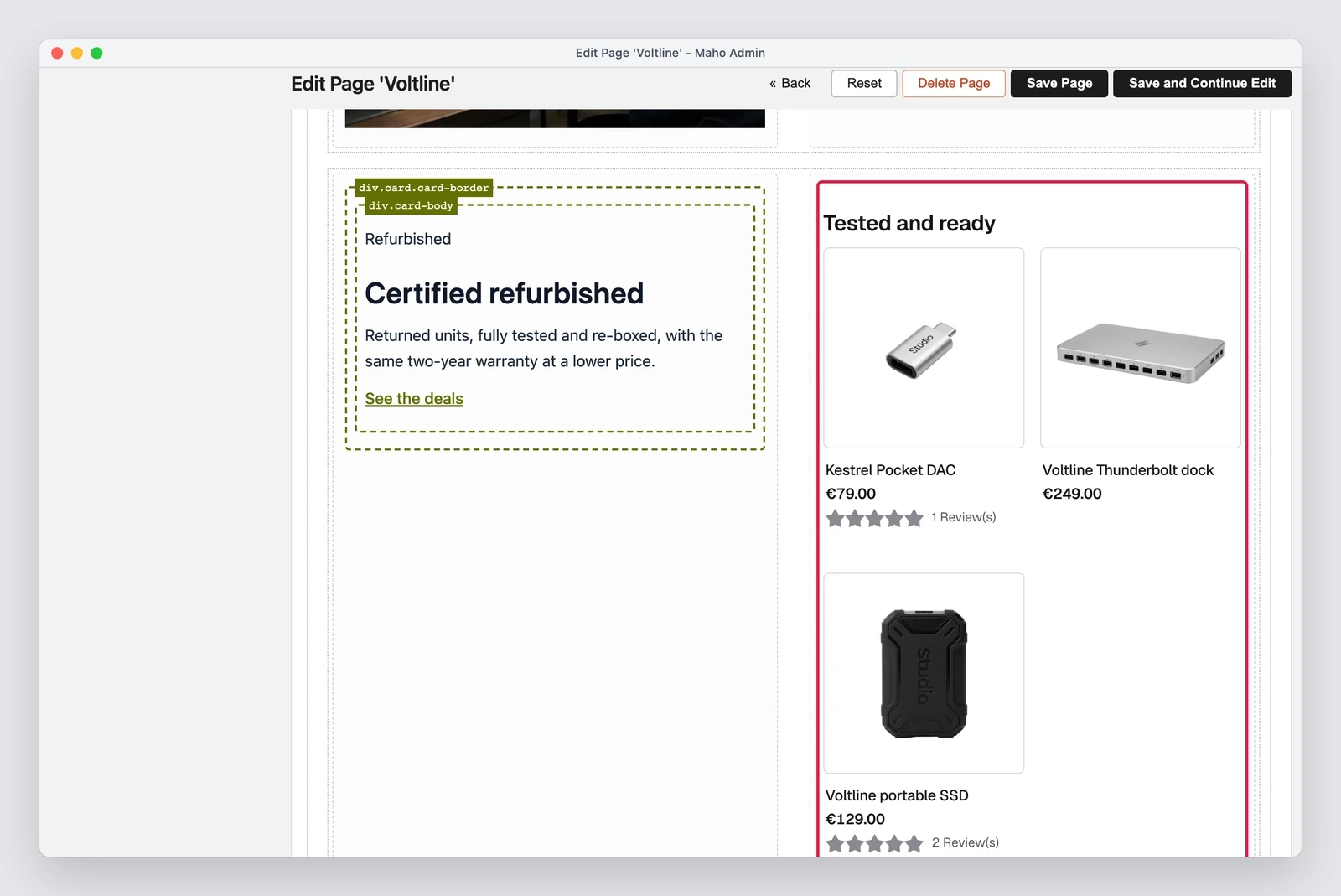
In the same piece of work the content editor learned to render widgets, CMS blocks
and {{icon}} directives the way a visitor sees them, so a product list shows
products, prices and ratings instead of the widget label.
It also keeps what a save keeps: <section>, <label>, <video>, <figure>,
<dl> and the other elements that used to throw the admin into the raw HTML
editor, plus id, data-* and aria-* attributes on headings.
Where it comes from
MageMEGA was part of the process and started the idea with a proof of concept
(discussion #1572,
a standalone module with no core patches), later merged into the core as the Design
Mode of
empiricompany/maho-design-mode.
Limits worth knowing
- The preview lives in the application cache for thirty minutes. A store with more than one web node needs a shared cache, Redis for example: without one, the preview can ask the wrong node for content it does not have.
- Products and categories have no preview, because their editor opens in a window with no fullscreen mode.
- A carousel or a script inside a widget does not run in the editor, which shows its static HTML.
- With both panes open on a 1280 px window the content area is 456 px wide, so a two column layout with a widget scrolls a little sideways. Closing the preview pane gives the space back.
A preview that costs two clicks gets closed; one that already sits next to the text changes how you write.
If a theme or a module touches the editor
The Show / Hide Editor button under content fields is gone, and Source takes its
place. An extension that clicks #toggle<field id> or calls getToggleButton()
must call turnOn() or turnOff() of the editor instead. A theme that copies
catalog/product/helper/gallery.phtml needs a review, because the admin gallery
builds cards rather than table rows, and images upload by dropping them.
Text prepared with the help of AI and checked against the source before publication. It can still contain mistakes: if you find one, report it.Read the manifesto
Source: MahoCommerce/maho#1594
Does your store still sell?
Tell us where you are starting from: we reply with a first assessment, no strings attached.
Ask for the store assessment